For engineering students · Mac first

Find your flow.
Keep it steady.

Steady Flow turns your own course files into a patient, visual tutor. It teaches the way your instructor teaches, checks your work without handing you the answer, and keeps you on a plan until the exam.

  • Free to start
  • Runs on your own Claude or ChatGPT subscription
  • Your files stay on your Mac
  • No sign-up, no tracking
A Steady Flow lesson on a sample course: a figure with a slider and a prediction question.

How it works

From a folder of files to a study plan.

No terminal, no API keys. You should be looking at your first problem within a couple of minutes.

  1. Bring your course

    Drop in slides, homework, posted solutions and notes. Your originals stay untouched, and Steady Flow tells you plainly what it could and couldn't read.

  2. It learns your course

    It builds a map of topics, your instructor's notation and sign conventions, and the worked methods your course uses.

  3. Learn it, figure first

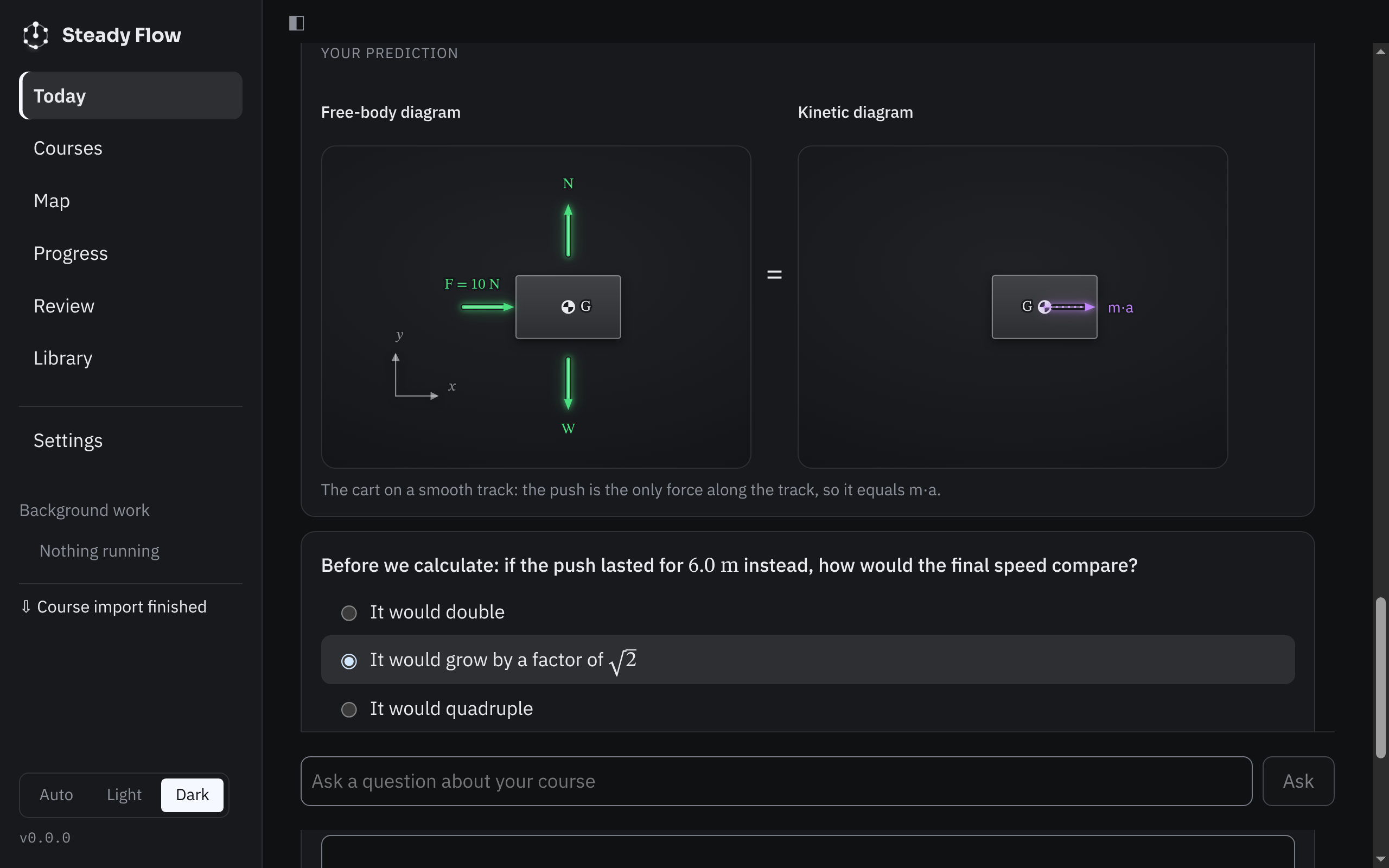
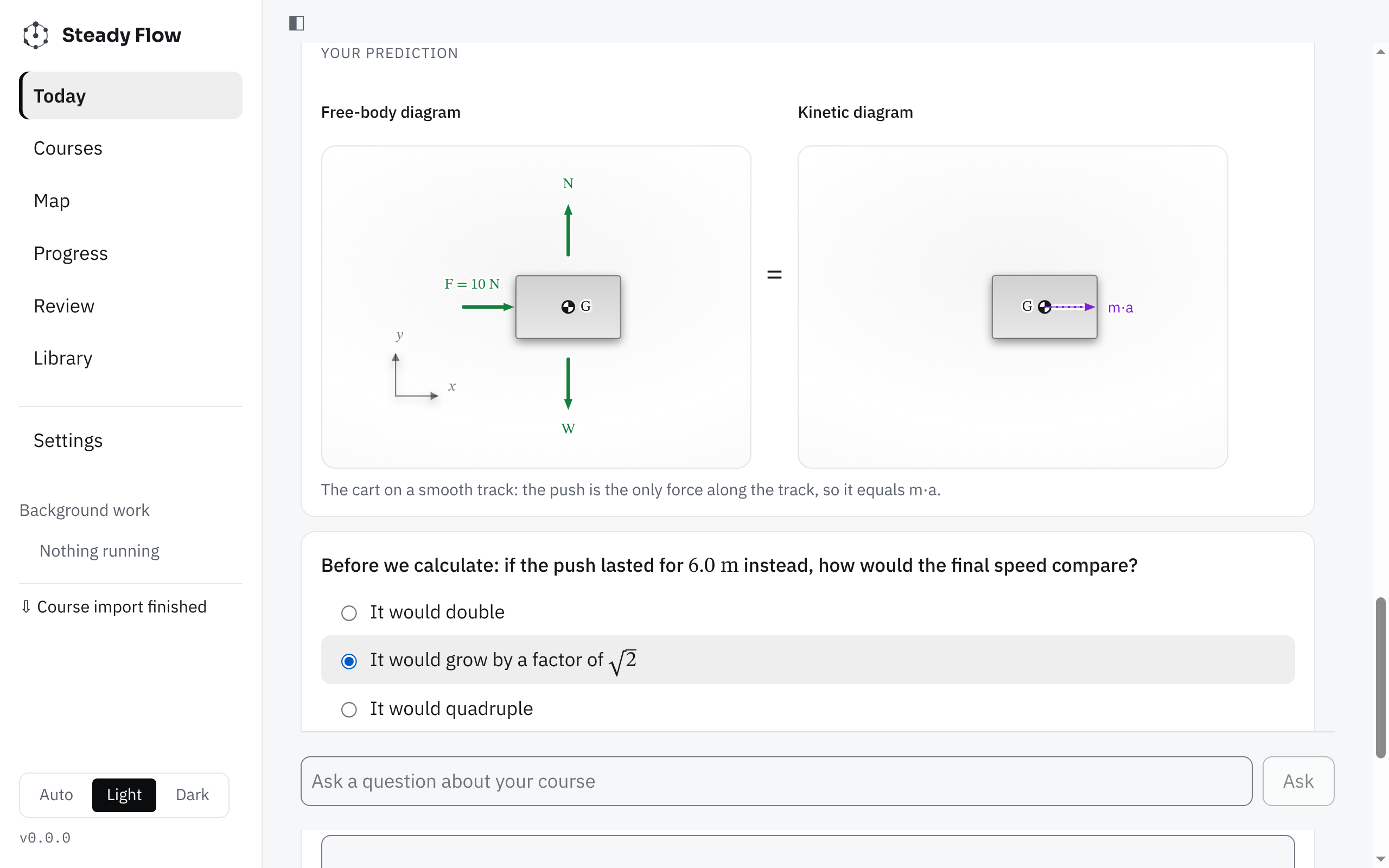
    Each lesson shows a figure, asks for your prediction, then explains it, citing pages from your own slides.

  4. Practice until the exam

    Problems from your homework plus fresh variants. Mistakes come back as review, more often as exam day gets closer.

In the app

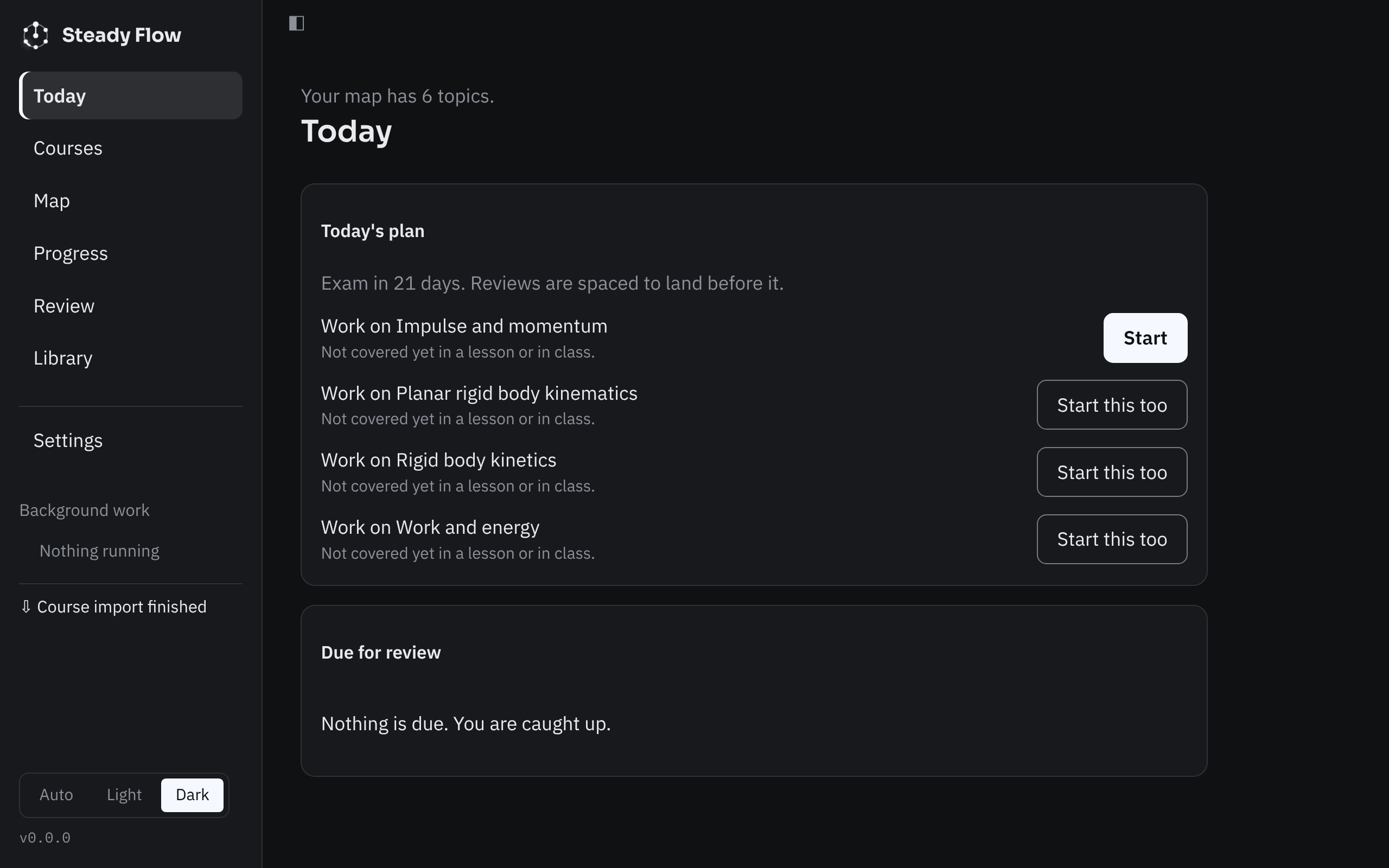
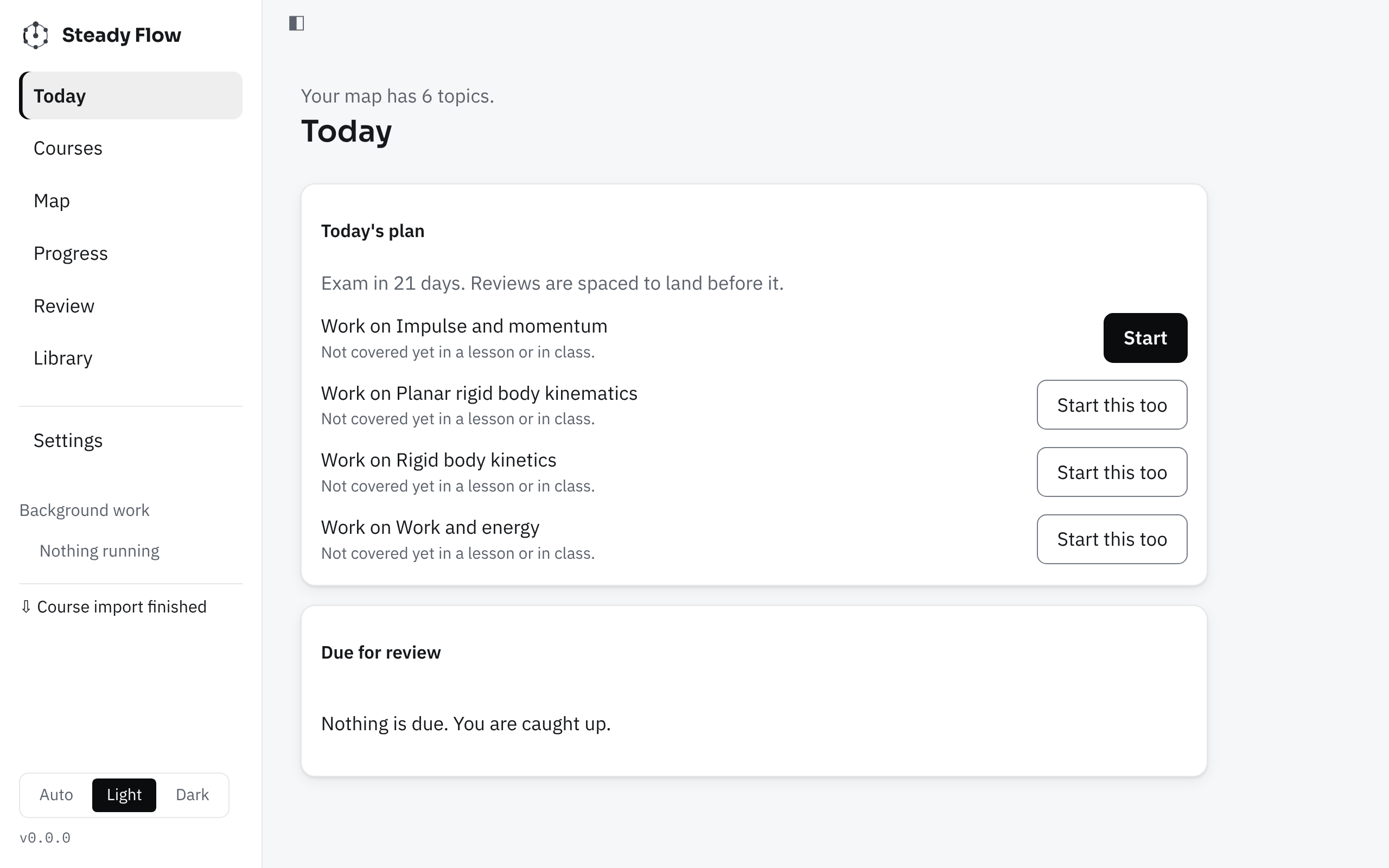
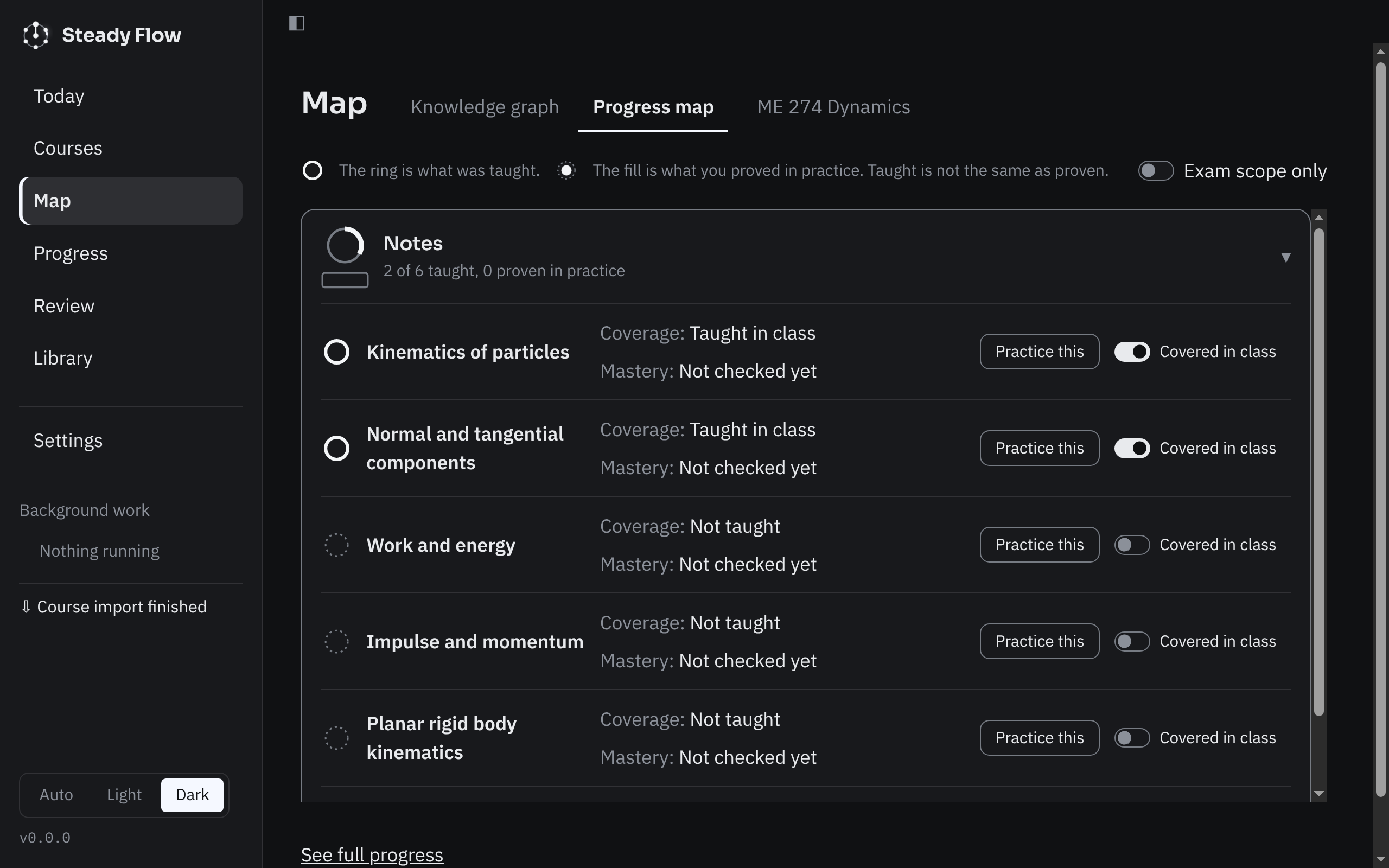
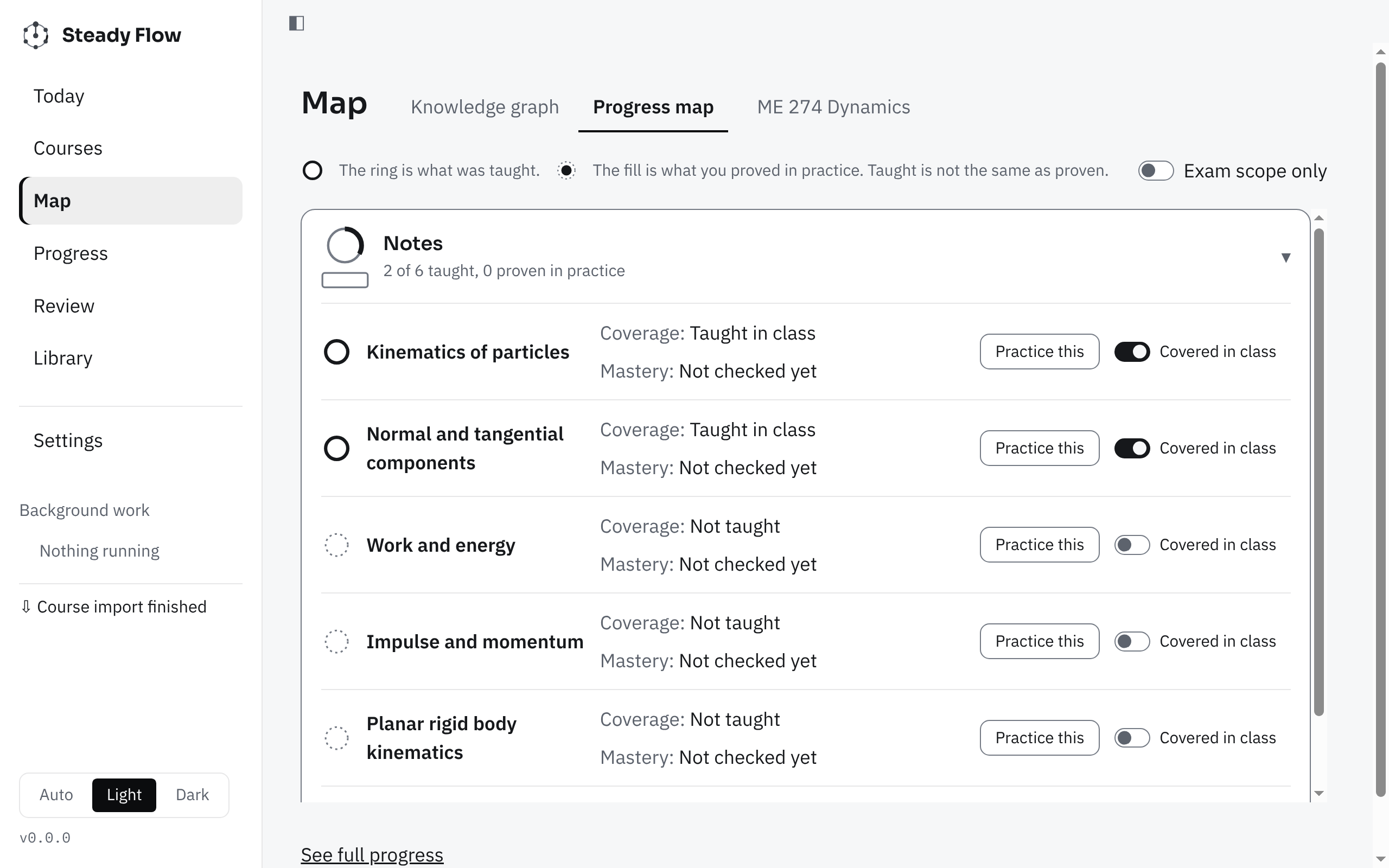
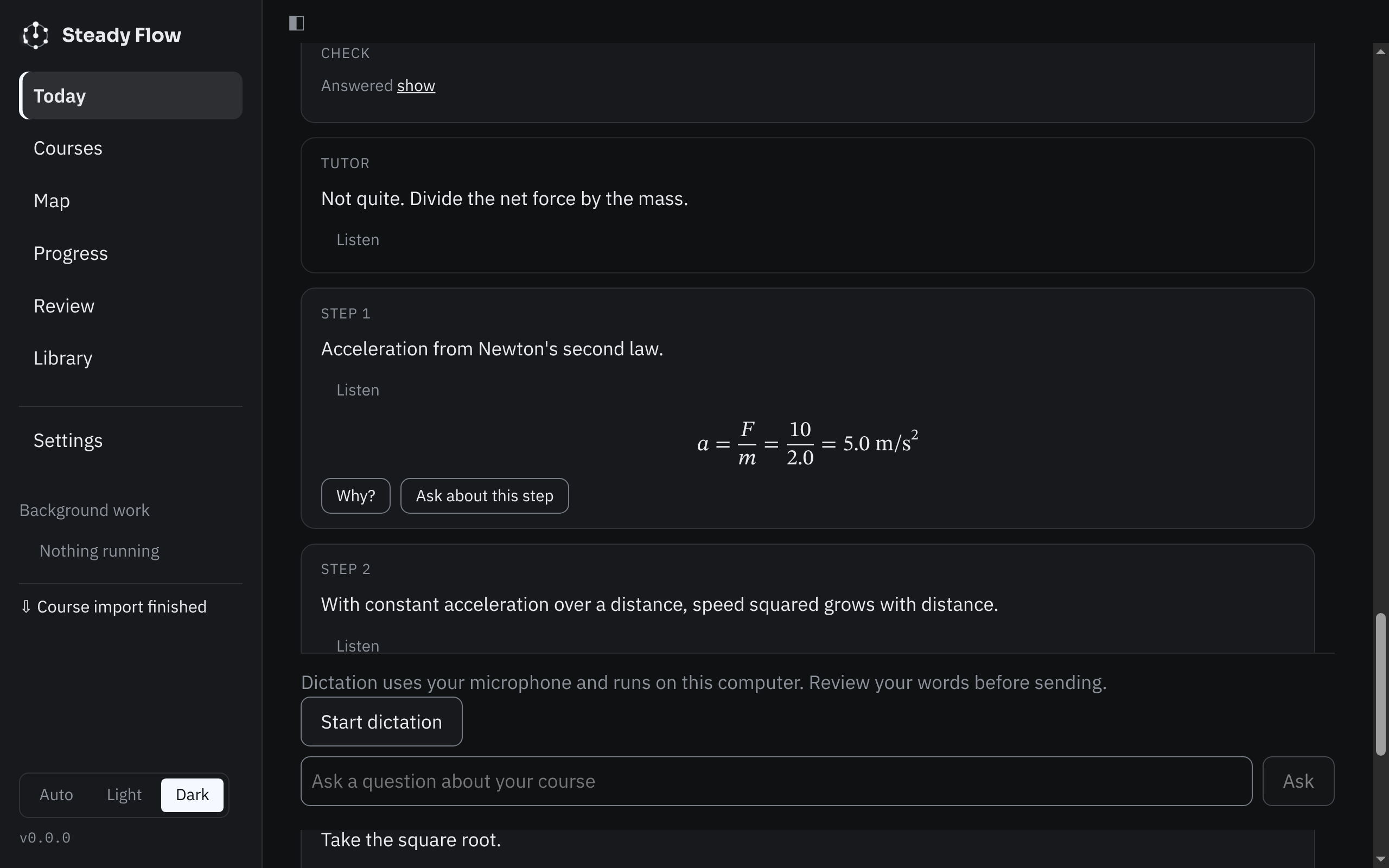
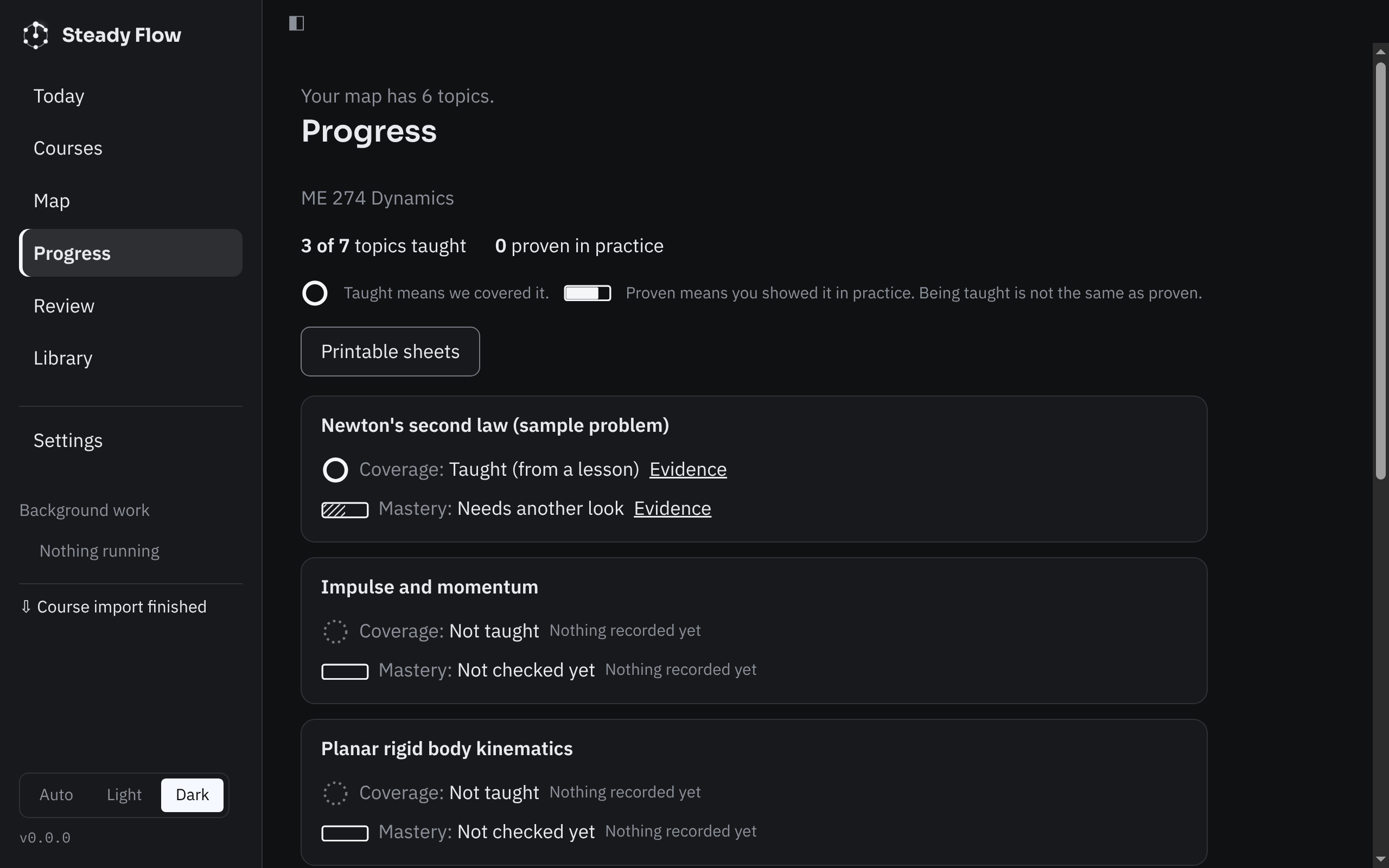
Calm screens. One next step.

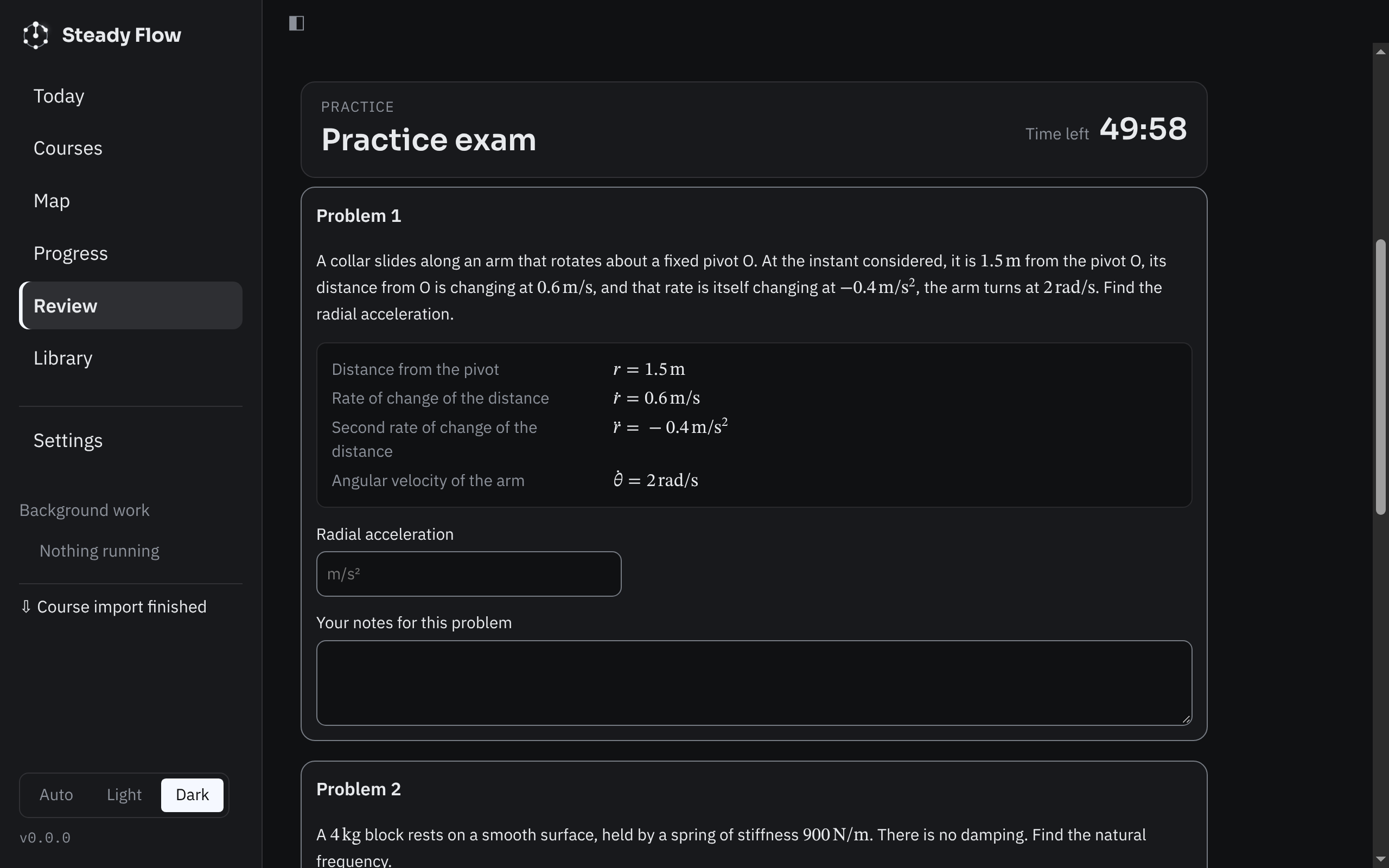
Real screens from the app, on a sample course. No jargon, no dashboards you have to decode.

Captured from the app on a sample course. Your screens will show your own files.

Try one moment

Predict first. Then see why.

Lessons ask for your prediction before they explain anything. Drag the slider to explore the figure, pick an answer, and lock it in.

A v_B
Link AB, r = 0.5 m, turning about Ablue solid: velocity

Prediction

If ω doubles from 2 to 4 rad/s, what happens to the speed of B?

Your prediction

A fixed sample moment. In the app, moments come from your own course files and cite your own pages.

What makes it different

A tutor, not a chatbot with an upload button.

Teaches your instructor's way

Notation, sign conventions and methods come from your course, not a generic textbook. Claims point to a page of your files. When your sources don't cover something, it says so and lets you add sources or choose outside ones.

Figures that compute

Diagrams are calculated, not decorated. Drag a slider and the numbers move. Each figure is labelled Solved, Checked, Drawn or Beta, so you know how far to trust it.

Finds your first error

When your work goes wrong it points to the first step that slipped, keeps what you did right, and gives the smallest useful hint.

Answers stay sealed

Instructor solutions stay hidden until you commit. It is built not to say "the answer is…" or "yes, that's right" before you submit. "Just show me" is always there, and it's recorded honestly.

Coverage isn't mastery

Sitting through a topic in class isn't the same as knowing it. Progress keeps what's been covered and what you've actually shown, separately.

Exam mode

A timed sheet drawn only from problems with verified answers, no hints, graded at the end with your first errors explained.

Privacy

Your course stays on your Mac.

Your files are your files. There's no Steady Flow account to make and nothing to track you with.

No accounts, no telemetry

Steady Flow has no sign-up, no analytics and no crash uploads.

Only what a request needs leaves

A tutoring request sends the cited pages and your current answer to the AI account you connected, under that provider's own terms.

Export or erase, any time

Export everything, back up, restore, or delete everything, each one click away.

Read exactly what is sent

Your AI account

Bring the subscription you already have.

Steady Flow runs on your own Claude or ChatGPT plan. There is no separate key to create and no extra bill from us.

Route

Claude Code

Uses your Anthropic account through the official Claude Code tool.

Route

Codex

Uses your ChatGPT plan through the official Codex tool.

Setup

One click, then their sign-in

If the tool is missing, Install downloads the official release into the app's own folder. Then that tool's own sign-in opens.

Steady Flow never sees your password or token. A provider only shows as ready after a real test message works on your account. Usage counts against your own plan's limits. A built-in option that needs no AI subscription is planned, but it isn't available yet.

Free to start

Two free weeks, then a pause, then free again.

There is no payment screen anywhere in the app.

14 days of tutoringStarts at your first completed lesson moment. No usage cap inside the window.
14 days pausedNew tutoring waits. Review, progress, your library, figures and export keep working.

When the pause ends, a new free window opens by itself. Your AI plan's own limits still apply throughout.

FAQ

Questions students ask first.

What do I need to use it?

A Mac with Apple silicon on macOS 13 or later, and a Claude or ChatGPT subscription for the AI side. Steady Flow itself needs no account. A built-in hosted option for students without a subscription is coming, but it isn't live yet.

Is there a Windows version?

Not yet. Intel Macs aren't supported at launch either.

Which courses does it work for?

It was built first for ME 274 Dynamics and is designed for any engineering course. Figure quality varies by subject, and every figure is labelled with how it was produced.

Will it just do my homework for me?

It's built not to. It finds your first error and gives the smallest hint that helps. If you really are stuck, "Just show me" works, and it's recorded as a reveal so your progress stays honest.

Is my data sent anywhere?

Your records stay on your Mac. A tutoring request sends only the content it needs to the AI account you connected. The privacy page lists every flow.

How much does it cost?

Steady Flow is free to start: 14 days of tutoring, then a 14-day pause, then a new free window. You use your own AI subscription, so its limits and price are between you and that provider.

Why does macOS warn me the first time I open it?

Early builds aren't notarized by Apple yet, so macOS asks you to confirm. The download page has the exact steps and a checksum so you can verify your copy.

How do I get updates?

Automatic updates are off for now. Check the download page for the latest version.

Who made this?

An engineering student who wanted a tutor that follows the course instead of ignoring it.

Open your first problem in two minutes.

Bring a folder from the course you're working through right now.